Keep a student in one specific desk
Randomly shuffle your seating charts, but keep a certain student in one specific desk.
You can use the Shuffle Buddy “Rules” tab to require that certain students sit in certain desks. When you shuffle the class, a random seating chart will be generated that keeps the student in the correct place.
Step 1. Create a tag for the student’s desk
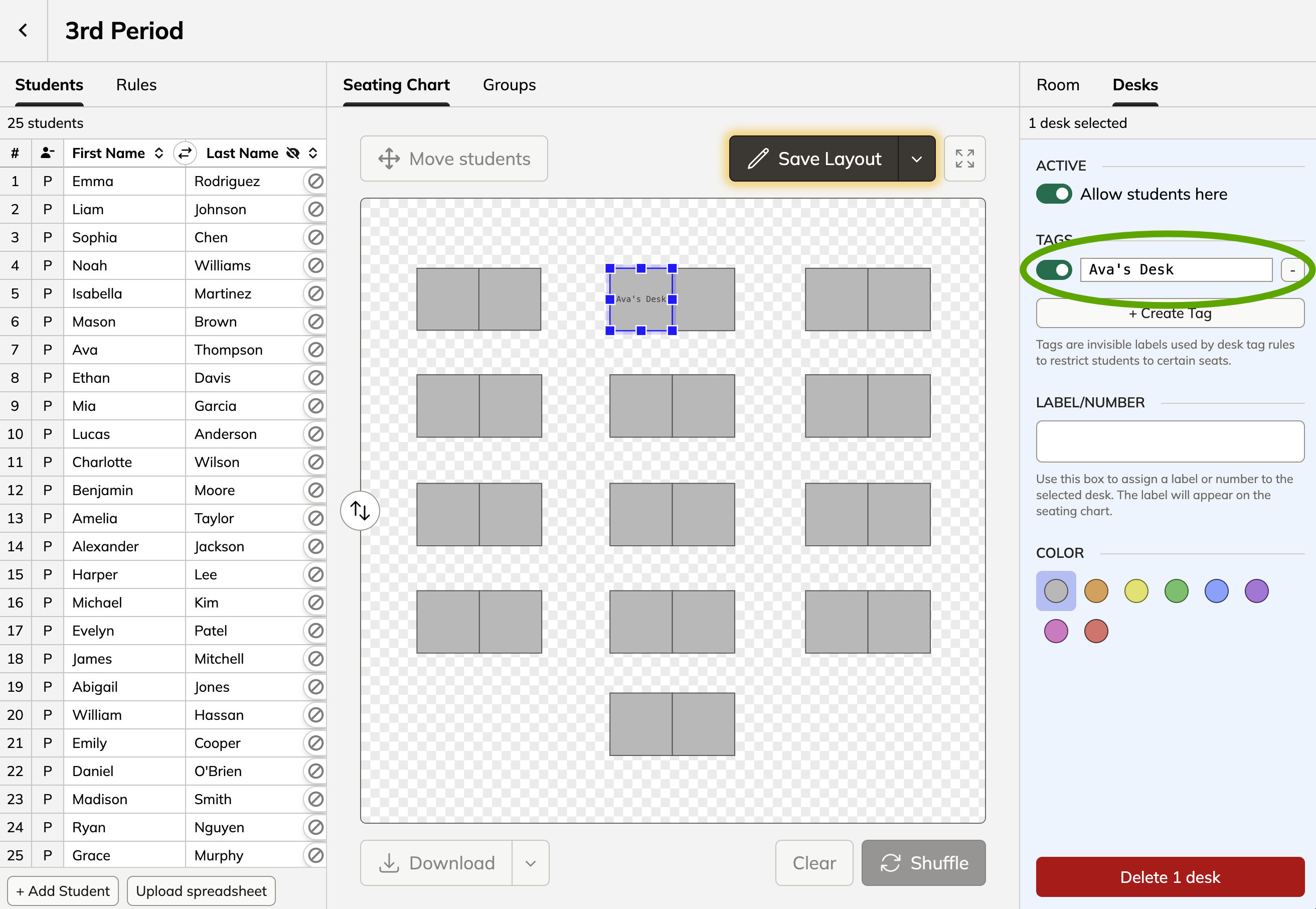
Create a tag for the desk where you would like this student to go. Tags can be named anything, but it makes sense to pick a name that describes what it represents. For example, you could call the tag “Ava’s Desk”.
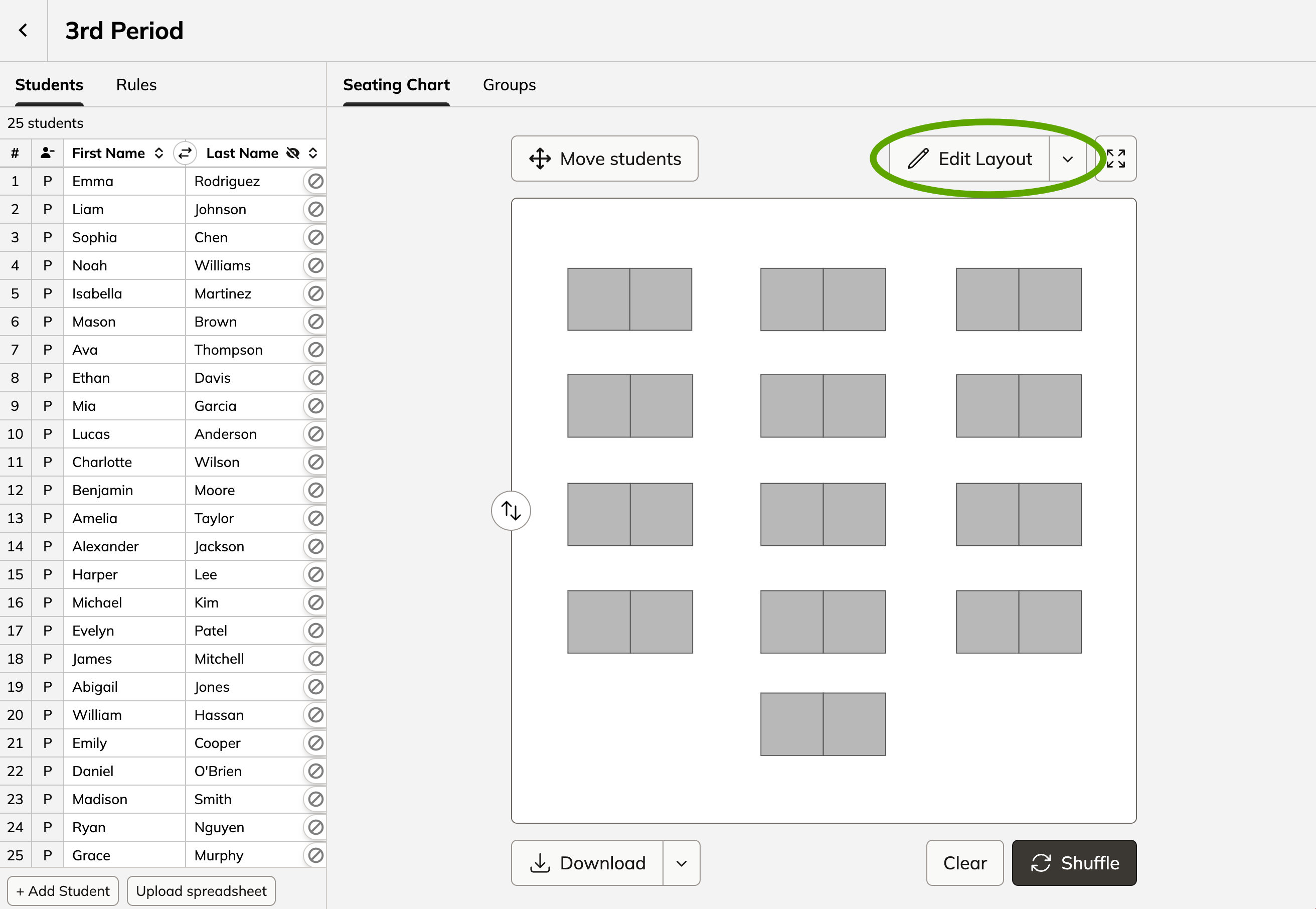
Click "edit layout"
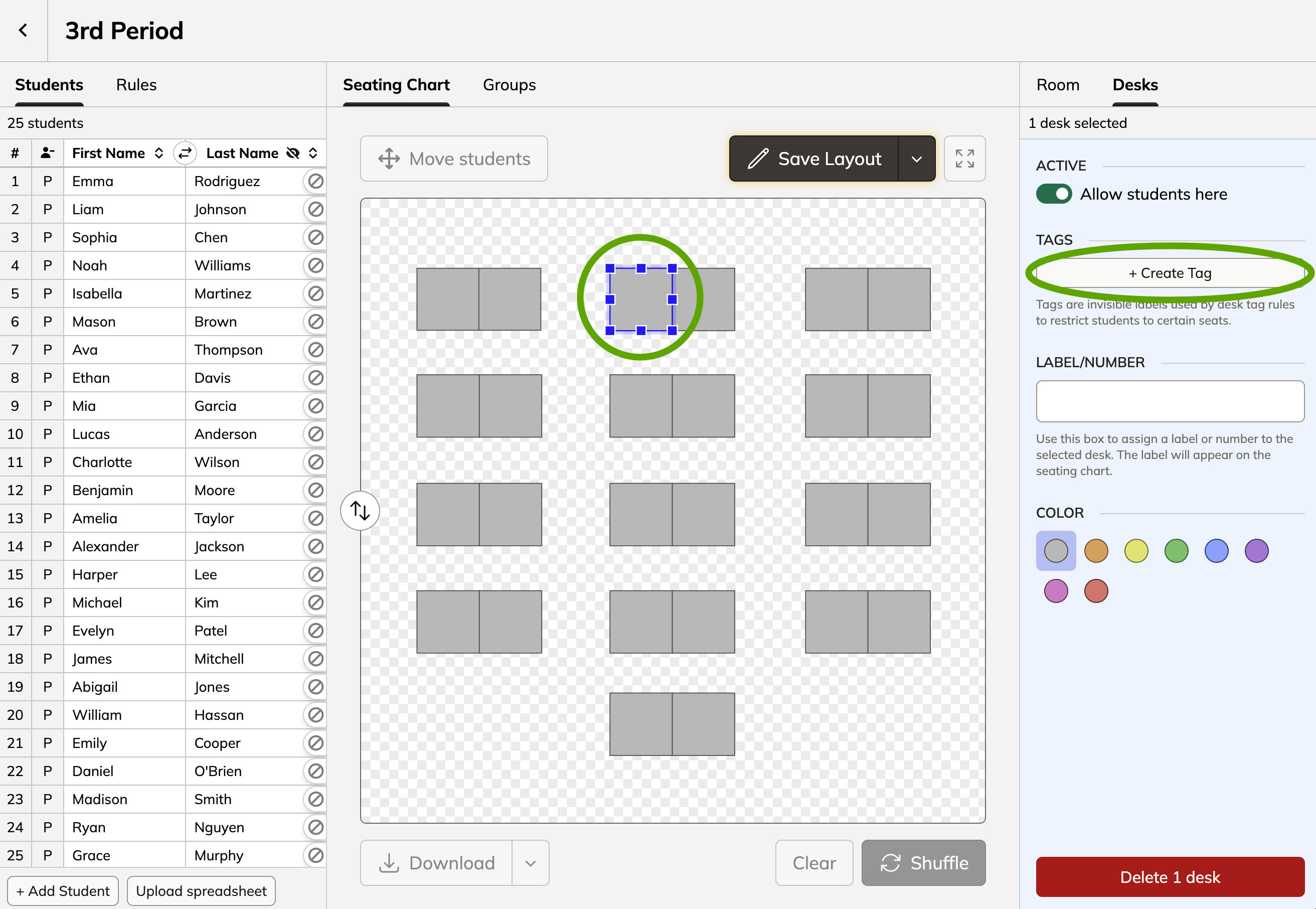
Select the desk for your student and click "create tag"
Name the tag "________'s Desk" with your student's name (or any other title that will help you identify this tag later)
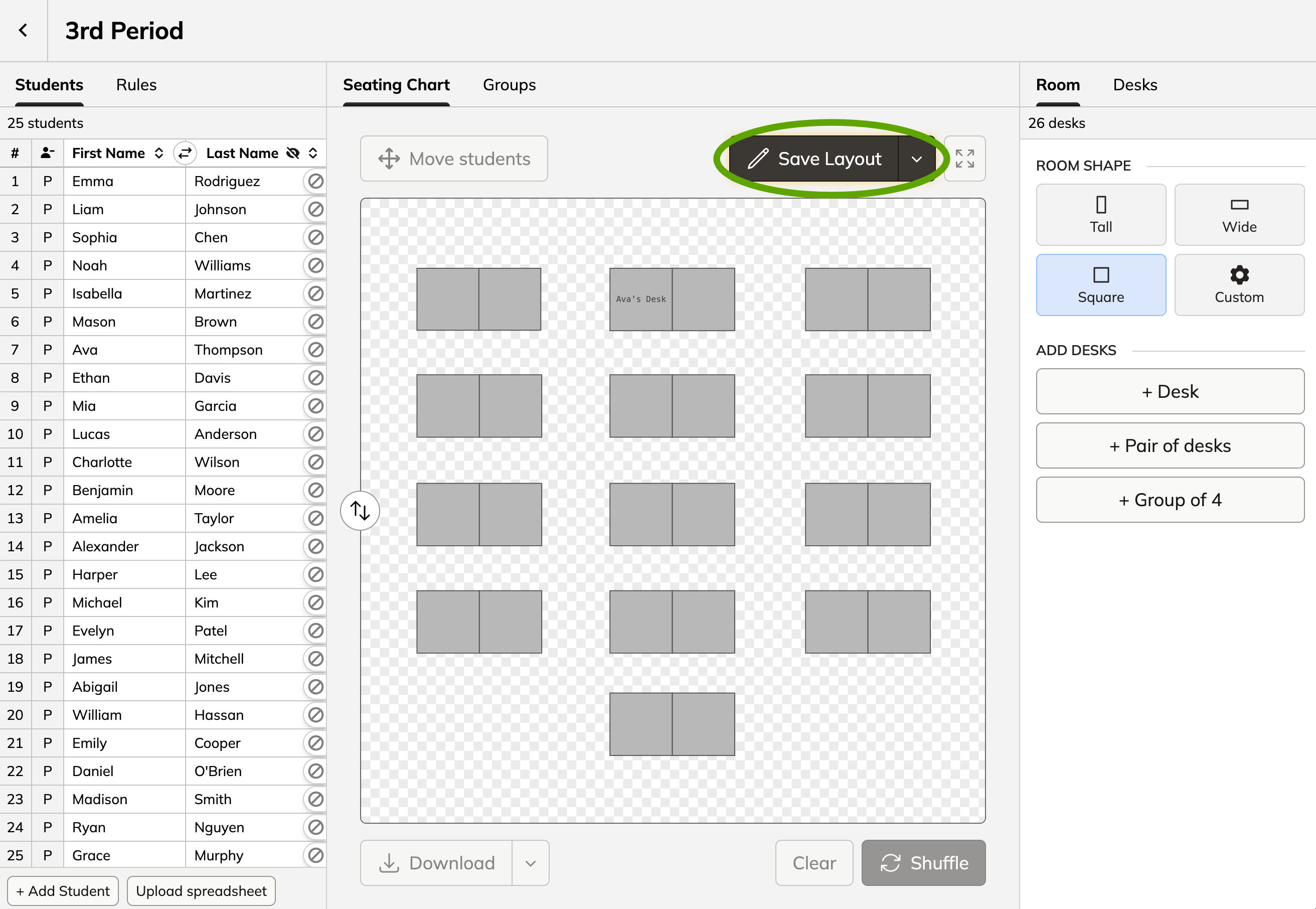
When you're done, click "save layout"
Step 2. Assign student to the tag
You can use a tag rule to keep the student in the desk you just selected.
Open the "rules" tab
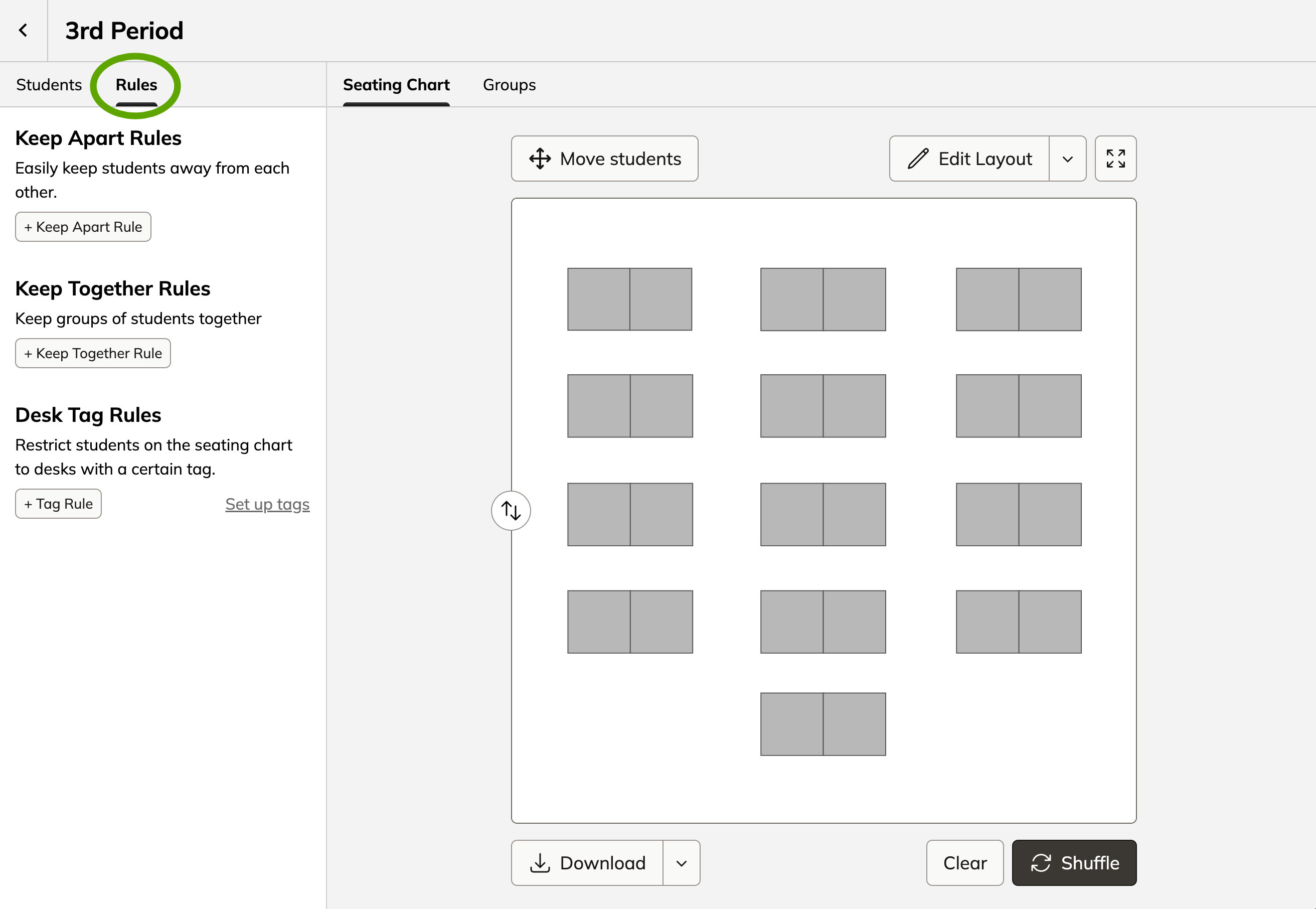
Create a "tag rule" assigning your student to the tag you just created for them
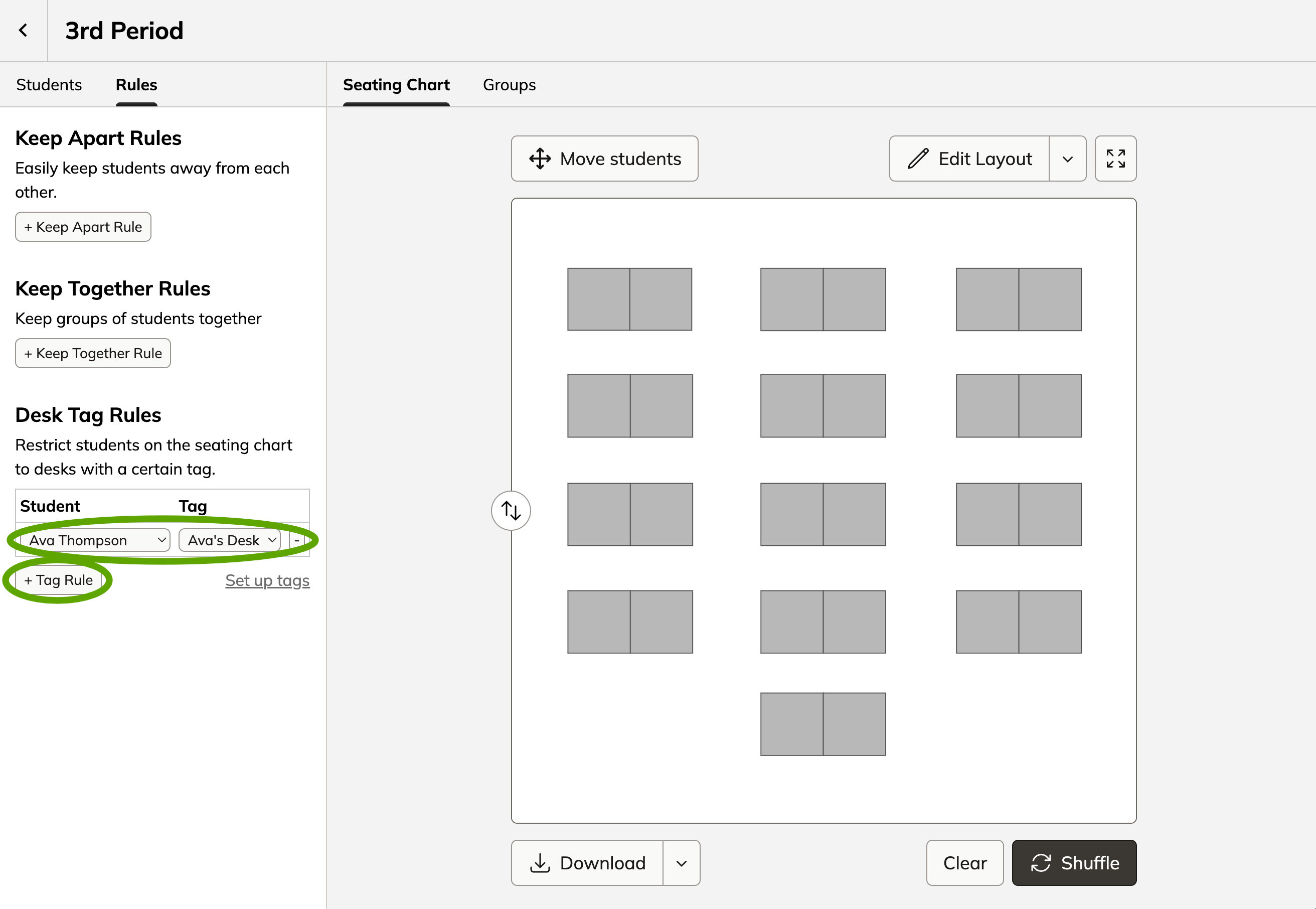
Next time you shuffle, the selected student will be placed in their designated seat.
Still need help?

Hi! I'm Josh Pullen. 👋 I created Shuffle Buddy, and I would love to help you get set up or solve any problems you're experiencing.
- Contact Me
Use this contact form to reach out with issues, feedback, or questions. I will reply via email as soon as I can.
- Mr. Pullen's Email List
I'm always building new things for teachers. If you want to stay up-to-date on my latest resources, sign up for my email list!
